
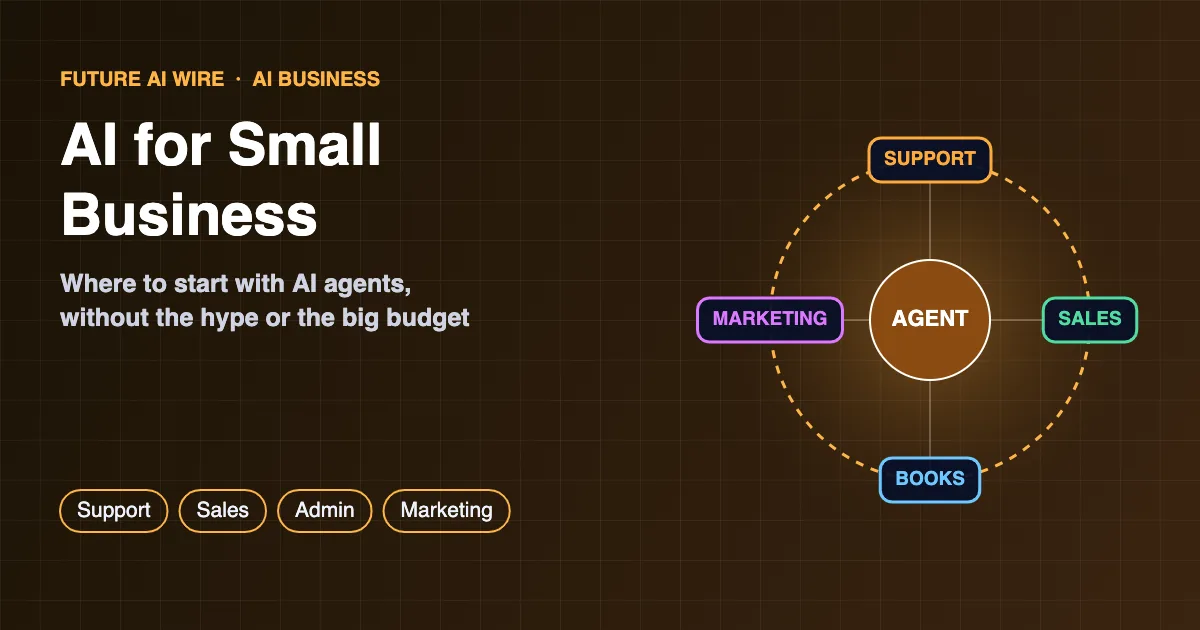
Small businesses have always had to do more with less: fewer people, tighter budgets, and owners who wear five hats before lunch. That is exactly why AI for small business has become one of the most practical technology conversations of the decade. Modern AI tools, and especially AI agents that can carry out multi-step tasks, now handle chores that once needed a dedicated hire. The challenge is no longer access. It is knowing where to start, what to trust, and what to leave alone.
Key Takeaways
- Small businesses get the fastest wins from AI in repetitive, text-heavy work: customer questions, scheduling, invoicing, and marketing drafts.
- AI agents go a step further than chatbots by taking actions across apps, such as updating a CRM or booking an appointment.
- The safest starting point is one narrow workflow with clear success measures and a human approving important actions.
- Data privacy, accuracy checks, and access limits matter more than the choice of tool.
- Costs usually start with low monthly subscriptions, so the real investment is setup time and process clarity.
Table of Contents
The Short Answer: Where Should a Small Business Start?
The best first step is to pick one repetitive, time-consuming task that follows a fairly predictable pattern, then test an AI tool on that single task for a few weeks. Answering common customer emails, drafting social posts, summarizing meetings, and chasing unpaid invoices are typical starting points. Once the first workflow runs reliably, the business can expand to more advanced setups, including agents that act across several apps.
AI Tools vs AI Agents: What Is the Difference?
Most owners first meet AI through chat assistants such as ChatGPT, Claude, Gemini, or Microsoft Copilot. These tools answer questions and draft content, but a person still copies the output and does the follow-up work. An AI agent is different: it receives a goal, plans the steps, and uses connected tools to complete them. A support agent, for example, can read an incoming email, look up the order in Shopify, issue a tracking update, and log the conversation in the CRM.
The difference is explained in more depth in AI agent vs chatbot, and the wider concept is covered in AI agents explained.
| Approach | What it does | Best for | Effort to set up |
|---|---|---|---|
| AI chat assistant | Answers questions and drafts text on request | Writing, research, brainstorming | Very low |
| AI features in existing apps | Adds smart suggestions inside tools already in use | Email, accounting, design, CRM | Low |
| Automation with AI steps | Runs fixed workflows with AI filling in parts | Lead routing, invoice reminders, tagging | Medium |
| AI agent | Plans and completes multi-step tasks across apps | Support triage, scheduling, research | Medium to high |
7 High-Impact Use Cases for AI for Small Business
1. Customer Service and FAQs
Questions about opening hours, delivery times, returns, and pricing make up a large share of inbound messages for many shops and service firms. An AI assistant trained on the company’s own policies can answer these instantly on the website, by email, or in messaging apps, and hand anything unusual to a person.
2. Scheduling and Bookings
Salons, clinics, consultants, and trades businesses lose hours to back-and-forth messages about appointment times. AI scheduling tools can check calendars, offer slots, send confirmations, and handle reschedules automatically.
3. Sales Follow-Up and Lead Qualification
Leads often go cold simply because no one followed up. AI can draft personalized follow-ups, score incoming leads based on their answers, and update the CRM so the owner spends time only on the most promising prospects.
4. Bookkeeping and Invoicing
Accounting platforms such as QuickBooks and Xero increasingly include AI features that categorize transactions, flag unusual expenses, and send payment reminders. An accountant still reviews the books, but the routine sorting shrinks.
5. Marketing Content
Product descriptions, newsletters, social captions, and ad variations are classic AI tasks. The output works best as a first draft that a person edits for accuracy and brand voice.
6. Admin and Document Work
Summarizing long contracts, turning meeting recordings into action items, and filling in standard forms are low-risk ways to save time every week.
7. Research and Competitor Monitoring
Agents with web access can collect supplier quotes, track competitor pricing, or summarize industry news, giving owners a weekly briefing instead of hours of browsing.
How to Choose an AI Agent for Small Business Needs
Picking the right tool matters less than picking the right job for it. Still, a few criteria separate a good fit from an expensive distraction when evaluating an ai agent for small business use:
- Integrations: it should connect to the apps already in use, such as Gmail, Outlook, Shopify, HubSpot, or the accounting system.
- Approval controls: it should allow a human to review actions like refunds, payments, or outgoing emails before they happen.
- Data handling: the vendor should explain clearly whether customer data is stored, where, and whether it is used to train models.
- Transparent pricing: per-seat, per-task, and usage-based plans behave very differently as volume grows.
- Activity logs: a record of what the agent did makes it far easier to spot and fix mistakes.
A Step-by-Step Plan to Get Started
- List repetitive tasks. Track for one week where staff time goes, and note tasks that are frequent, rule-based, and text-heavy.
- Pick one workflow. Choose the task with the clearest payoff and the lowest risk if something goes wrong.
- Define success. Decide what will be measured, such as response time, hours saved, or leads contacted.
- Prepare the knowledge. Gather FAQs, policies, price lists, and templates the AI will rely on.
- Run a supervised pilot. Keep a person approving outputs for the first few weeks.
- Review and expand. Once results hold steady, loosen approvals where safe and move to the next workflow.
Teams that want to understand how multi-step automations fit together can read agentic workflows explained.
Costs: What Small Businesses Should Expect
Many AI tools start with free tiers or modest monthly subscriptions per user, while AI features are increasingly bundled into software that businesses already pay for. Agent platforms often add usage-based charges tied to the number of tasks or conversations. The less visible costs are setup time, cleaning up messy data, and staff training. Prices change frequently, so it is worth checking current vendor pricing pages and starting on a monthly plan rather than an annual contract.
Risks and How to Manage Them
- Wrong answers: AI can state incorrect information confidently. Customer-facing tools should be limited to approved information and should hand off when unsure.
- Privacy and compliance: sharing customer or employee data with an AI vendor may carry legal obligations, depending on the country and industry.
- Security: agents that read emails and web pages can be manipulated by hidden instructions, a risk known as prompt injection. Limiting what an agent can access and spend is the main defense.
- Over-automation: customers notice when every interaction feels robotic. Keeping a human option visible protects trust.
For a structured approach to these issues, the U.S. National Institute of Standards and Technology publishes the free AI Risk Management Framework, and the U.S. Small Business Administration offers guidance on strengthening cybersecurity.
Real-World Examples by Industry
The most useful applications look different from one sector to the next. A few patterns show up again and again among smaller firms.
Retail and E-Commerce
Online shops use AI to write product descriptions in bulk, answer “where is my order” questions, recommend related items, and spot products that are about to run out of stock. Platforms such as Shopify now include built-in AI helpers, which lowers the barrier for store owners who do not want to manage separate tools.
Restaurants and Cafes
Restaurants apply AI to phone and online reservations, menu descriptions, review replies, and demand forecasting for ingredients. Even a simple assistant that answers questions about allergens, opening hours, and parking can free staff during busy service times.
Professional Services
Accountants, lawyers, consultants, and agencies rely heavily on documents. AI helps them summarize client files, prepare first drafts of proposals and reports, transcribe meetings, and organize research. Final review stays with the professional, especially where legal or financial accuracy is involved.
Trades and Home Services
Plumbers, electricians, cleaners, and landscapers often miss calls while on a job. AI answering and booking tools can capture the lead, collect job details and photos, quote standard services, and slot the appointment into the calendar before a competitor picks up the phone.
Health, Beauty, and Fitness
Clinics, salons, and gyms use AI for appointment reminders, rebooking prompts, membership questions, and personalized follow-up messages. Businesses handling health information need to check that any tool meets the privacy rules that apply in their country.
How to Measure Whether AI Is Paying Off
Enthusiasm fades quickly if no one can show results. Tracking a handful of simple numbers before and after the rollout makes the value visible:
- Hours saved per week on the chosen task, estimated by the staff who used to do it.
- Response time to customer emails, chats, or calls.
- Conversion rate of leads that received fast, AI-assisted follow-up.
- Error rate, such as wrong answers caught during review or invoices that needed correcting.
- Customer satisfaction, measured through reviews, short surveys, or repeat purchases.
Comparing those numbers with the monthly cost of the tool, plus the time spent supervising it, gives a realistic view of return on investment. If a workflow is not saving time after a reasonable trial, it is usually better to stop and try a different task than to keep paying for unused software.
Common Mistakes to Avoid
- Starting too big. Trying to automate the whole business at once leads to confusion and abandoned projects.
- Skipping the knowledge base. An assistant can only answer accurately if it has current prices, policies, and FAQs to draw on.
- Removing humans too early. Approvals should be loosened gradually, only after results are consistently reliable.
- Ignoring staff. Employees who understand why a tool is being introduced are far more likely to use it well and flag problems.
- Sharing sensitive data carelessly. Passwords, payment details, and private health information should never be pasted into general-purpose AI tools.
- Buying on hype. A polished demo is not proof. A short pilot on real tasks reveals far more than any sales presentation.
What Comes Next: Agents That Shop, Pay, and Coordinate
The next wave of business tools goes beyond answering questions. Agents are starting to compare suppliers, place routine orders, and even complete purchases on behalf of businesses and their customers, a trend known as agentic commerce. At the same time, financial institutions are moving cautiously, and some U.S. banks have blocked third-party AI agents from accessing customer accounts. For smaller firms, the lesson is to watch these developments closely while keeping payments and sensitive accounts under direct human control for now.
Owners who want a deeper understanding of how these systems make decisions can explore what agentic AI is and how it differs from traditional automation.
Low-Cost Ways to Experiment Before Committing
Owners who are unsure where AI fits can learn a lot without signing a contract. Several low-risk experiments reveal quickly whether a workflow is a good candidate:
- Use the free tier of a chat assistant to draft a week of social posts, then compare the time spent with the usual process.
- Turn on AI features already included in email, office, accounting, or e-commerce software, since many are bundled at no extra cost.
- Record and summarize one internal meeting to see whether automatic notes and action items save follow-up time.
- Test an answer bot internally first, letting staff ask it real customer questions before it ever goes live on the website.
- Ask peers in the same industry which tools stuck and which were abandoned, since local business groups and trade associations often share practical experience.
Keeping notes on what worked, what failed, and how much time each experiment took creates a simple business case for the next investment. It also helps owners explain the change to staff and customers with confidence rather than guesswork.
Key Terms at a Glance
- Large language model (LLM): the AI system behind chat assistants and agents that understands and generates text.
- AI agent: software that pursues a goal by planning steps and using connected tools.
- Integration: a connection that lets an AI tool read from or write to another app.
- Human-in-the-loop: a setup where a person approves important actions before they happen.
- Knowledge base: the collection of policies, FAQs, and documents an AI uses to answer accurately.
Conclusion
AI is no longer reserved for large companies with data science teams. The small businesses seeing real results tend to start small, choose one painful task, keep a person in charge of key decisions, and expand step by step. Done that way, AI becomes less of a gamble and more of a reliable extra pair of hands.
Frequently Asked Questions
Is AI expensive for a small business?
Not necessarily. Many tools offer free or low-cost entry plans, and AI features are often included in software a business already uses. The larger cost is usually the time needed to set up and supervise the workflow.
Does a small business need technical skills to use AI?
No. Most popular AI tools work through simple chat or point-and-click interfaces. More advanced agent setups may benefit from help by a consultant or a tech-savvy team member.
Will AI replace employees at small businesses?
In most small firms, AI takes over repetitive tasks rather than whole roles. Staff typically shift toward work that needs judgment, relationships, and hands-on service.
Is customer data safe with AI tools?
It depends on the vendor and settings. Businesses should review each provider’s data policy, use business plans that exclude training on customer data where available, and avoid sharing sensitive information unnecessarily.
What is the easiest first AI project?
Drafting replies to common customer questions or summarizing meetings are among the easiest, because results are easy to check and mistakes are low risk.
How long does it take to set up an AI tool?
Simple assistants can be running within an afternoon. Workflows that connect several apps, or agents that take actions, usually need a few days to a few weeks of setup and supervised testing.
Should customers be told when they are talking to AI?
Yes. Being clear that a chat or email reply comes from an AI assistant builds trust, and some regions have rules that require disclosure. A visible option to reach a person is also good practice.
Can AI help a small business compete with larger companies?
It can narrow the gap. Fast responses, personalized follow-ups, and polished marketing used to require bigger teams, and AI now makes these possible for firms with only a few employees.

The Future AI Wire Editorial Team covers artificial intelligence, AI agents, agentic AI, and emerging technologies. We publish clear, research-informed explanations and practical insights to help readers understand AI developments, real-world applications, and the technologies shaping the future.