
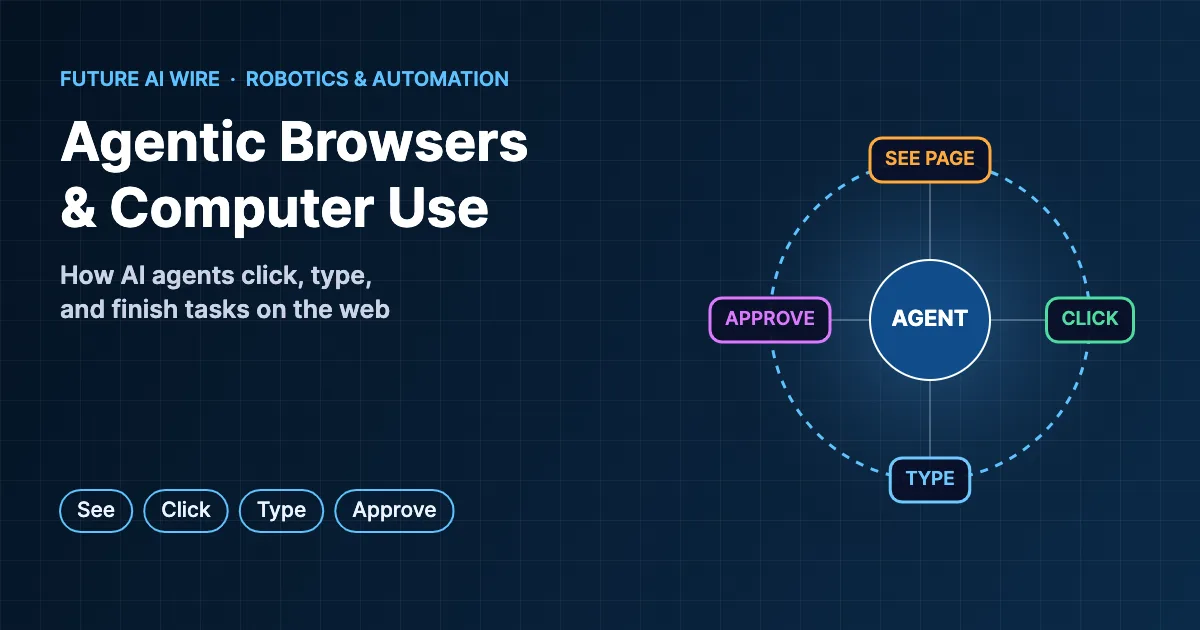
For decades, web browsers have waited for people to click, scroll, and type. That is starting to change. A new generation of AI tools can look at a web page, understand what is on it, and take actions on a person’s behalf, from filling out forms to comparing products across several sites. The agentic browser sits at the center of this shift, turning a familiar tool from a passive window into an active assistant. This guide explains how these tools work, which products lead the field, where they help, and why security experts urge caution.
Key Takeaways
- AI browsers and computer-use tools let an AI model operate websites and apps by seeing the screen and clicking, typing, and scrolling.
- They work in a loop: capture the page, decide the next action, perform it, and check the result.
- Major examples include OpenAI’s ChatGPT agent and Atlas browser, Perplexity’s Comet, Anthropic’s Claude computer-use and Chrome tools, Google’s Project Mariner and Gemini in Chrome, and Microsoft Edge’s Copilot Mode.
- Good uses include research, form filling, comparison shopping, and repetitive admin tasks on sites without APIs.
- Prompt injection, privacy, and mistaken actions are the main risks, so approvals and limited access are essential.
Table of Contents
What Is an Agentic Browser?
In simple terms, it is a web browser with a built-in AI agent that can navigate sites and complete multi-step tasks, not just answer questions about a page. A user might type “find three hotels near the conference venue under a set budget and add the best option to my calendar,” and the agent opens the sites, compares options, and reports back, asking for approval before booking anything.
A closely related idea is the computer use agent: an AI system that operates a full desktop or virtual machine, including apps beyond the browser, by viewing screenshots and controlling the mouse and keyboard. Both belong to the broader family of AI agents described in AI agents explained.
How AI Browsers Work
Under the hood, these systems combine a multimodal language model with control software. The typical cycle looks like this:
- Receive a goal. The user describes the task in plain language.
- Observe the page. The system captures a screenshot, the page’s structure, or both, so the model can “see” buttons, menus, and text.
- Plan the next action. The model decides what to do, such as clicking a search box or selecting a date.
- Act. The software performs the click, keystroke, or scroll.
- Check the result. A new screenshot shows whether the action worked, and the loop repeats.
- Pause for approval. Before sensitive steps like purchases, logins, or sending messages, well-designed tools ask the user to confirm or take over.
This see-think-act loop is the same pattern found in other agents, as described in agentic workflows explained. The difference is that the agent works through the visual interface designed for humans instead of through APIs.
Why Not Just Use APIs?
Many automations connect directly to software through APIs, which are faster and more reliable than clicking through screens. Standards like the Model Context Protocol (MCP) make those connections easier for AI agents, and the trade-offs are covered in MCP vs API. However, a large share of the web and older business software has no usable API. Visual agents fill that gap by working with any interface a person can use, which makes them flexible, if slower and more error-prone.
7 Leading Tools and Approaches
The market is moving quickly, with frequent launches and changes, so the list below describes how each option is generally positioned rather than ranking them.
| Tool | Company | Approach |
|---|---|---|
| ChatGPT agent and Atlas | OpenAI | An agent mode inside ChatGPT that uses its own virtual browser, plus a standalone AI browser with an agent built in |
| Comet | Perplexity | An AI-first browser built around search and an assistant that can act on pages |
| Claude computer use and Claude for Chrome | Anthropic | Model capabilities for controlling desktops through screenshots, plus a browser extension that can act in Chrome |
| Project Mariner and Gemini in Chrome | Research agent for web tasks and Gemini features integrated into Chrome | |
| Copilot Mode in Edge | Microsoft | AI features in Edge that help with tabs, research, and multi-step browsing tasks |
| Opera Neon | Opera | An agent-focused browser concept from a long-standing browser maker |
| Open-source frameworks | Various | Developer libraries such as Browser Use and automation tools built on Playwright that connect models to browsers |
Real-World Use Cases
Research and Comparison
Agents can open many tabs, extract details such as prices, features, and reviews, and assemble a comparison table, saving hours of manual browsing.
Forms and Admin Work
Repetitive data entry, from expense reports to supplier portals and government forms, is a natural fit, especially when the same steps repeat every week.
Shopping and Travel
Agents can search for flights, hotels, or products that match specific criteria and prepare a cart or booking for the user to approve. This connects to the wider trend of agentic commerce, where AI handles more of the purchasing journey.
Testing and Quality Assurance
Software teams use visual agents to click through applications like a real user would, finding broken flows that scripted tests miss.
Accessibility
For people who find complex websites difficult to navigate, an assistant that can follow plain-language instructions has the potential to make the web easier to use.
Business Process Automation
Companies that rely on legacy systems without APIs can use computer-use tools as a more flexible successor to traditional robotic process automation (RPA), which depended on rigid, pre-recorded scripts.
AI Browsers vs Traditional RPA
| Feature | Traditional RPA | AI-driven agents |
|---|---|---|
| Setup | Steps recorded or scripted in advance | Goal described in natural language |
| Handling changes | Breaks when a layout changes | Can often adapt to new layouts |
| Predictability | Very consistent | Less predictable, needs monitoring |
| Speed | Fast | Slower, since each step involves model reasoning |
| Best for | Stable, high-volume processes | Varied tasks and changing websites |
The Security Risks
Giving an AI agent control of a logged-in browser creates new risks that security researchers have highlighted repeatedly:
- Prompt injection: web pages, emails, or documents can contain hidden instructions that try to hijack the agent, for example telling it to reveal data or visit a malicious site. This is explained in detail in what prompt injection is.
- Access to accounts: an agent working in a browser where the user is signed in may reach email, banking, or work systems.
- Mistaken actions: misreading a page can lead to wrong purchases, deleted items, or messages sent to the wrong person.
- Privacy: screenshots and page contents may be processed on remote servers, depending on the product.
The OWASP GenAI Security Project lists prompt injection and excessive agency among the top risks for applications built on large language models. Financial institutions are taking these concerns seriously, and some U.S. banks are blocking third-party AI agents from customer accounts.
Best Practices for Safe Use
- Use a separate browser profile without sensitive logins for agent tasks.
- Keep the agent logged out of banking, health, and administrative accounts unless absolutely necessary.
- Turn on confirmation prompts for purchases, submissions, and messages.
- Watch the agent during early use, and stop it if it behaves unexpectedly.
- Prefer official integrations and APIs for critical business processes.
- Review each product’s data retention and privacy settings.
- Keep software updated, since vendors regularly ship security fixes.
Current Limitations
Despite rapid progress, today’s tools have clear limits that buyers should understand before relying on them:
- Speed: each step requires the model to capture the screen and reason about it, so tasks often take longer than a skilled person would need.
- Reliability on long tasks: success rates drop as the number of steps grows, because small errors accumulate.
- CAPTCHAs and anti-bot systems: many sites deliberately block automated visitors, and responsible agents hand these checks back to the user.
- Dynamic pages: pop-ups, infinite scrolling, and complex menus can confuse visual agents.
- Cost: running large multimodal models for every step can be expensive at scale.
- Accountability: when an agent makes a mistake, it is not always clear whether the user, the vendor, or the website is responsible.
These limits explain why most current deployments keep a person nearby, treating the agent as a capable assistant rather than a fully independent worker.
How Performance Is Measured
Researchers track progress with benchmarks that ask agents to complete realistic tasks. OSWorld tests agents on real desktop applications across operating systems, while WebArena and similar suites simulate websites for shopping, forums, and content management. Scores have risen quickly, yet agents still fail on many tasks that people find easy, particularly long sequences, unusual layouts, and pages that require careful judgment.
Where the Technology Is Heading
Expect AI to become a standard part of every major browser, with agents that remember preferences, coordinate with other agents, and hand off between web, desktop, and mobile apps. Protocols that let agents communicate, such as the A2A (Agent2Agent) protocol, may let an AI assistant in the browser delegate parts of a task to specialized services. Websites may also adapt, offering agent-friendly interfaces alongside human ones. At the same time, security, trust, and clear rules about who is responsible for an agent’s actions will shape how quickly people hand over control.
From Macros to AI Agents: A Short History
Automating the web is not new. Early browser macros recorded clicks and keystrokes and replayed them exactly. Developers later adopted testing frameworks such as Selenium, Puppeteer, and Playwright to control browsers with code, and businesses turned to RPA platforms to automate back-office work across desktop and web apps. All of these approaches shared one weakness: they followed fixed instructions and broke when a page changed.
The arrival of multimodal language models changed the equation. Once models could interpret screenshots and reason about what to do next, automation no longer needed every step spelled out. Anthropic released a public beta of computer-use capabilities in October 2024, and OpenAI, Google, Perplexity, Microsoft, and others followed with their own browser and desktop agents through 2025 and 2026. The result is automation that is far more flexible, though still less predictable than the scripted tools that came before.
What Website Owners Should Know
As more visits come from AI agents rather than people, websites may need to serve both audiences. Pages with clear structure, descriptive buttons and labels, accessible forms, and consistent layouts are easier for agents to navigate, which overlaps heavily with good accessibility practice. Structured data, clean product information, and transparent pricing help agents extract accurate details when comparing options.
There are also business questions. Some sites welcome agents that bring customers ready to buy, while others restrict automated access to protect content, prevent abuse, or keep users on their own pages. Analytics may need updating, since agent visits can look different from human browsing. Publishers and brands watching generative search trends should treat agent readiness as part of the same effort to stay visible in AI-driven discovery.
Questions to Ask Before Adopting an AI Browser
- Where does processing happen? Some tools send screenshots and page data to cloud servers, while others process more on the device.
- What can the agent access? Check whether it can see all open tabs, saved passwords, browsing history, or only the current task.
- How are approvals handled? Look for clear confirmation steps before purchases, form submissions, or messages.
- Is there an activity log? A record of every action makes it easier to audit and troubleshoot.
- What protections exist against prompt injection? Vendors should explain how they detect and block malicious instructions hidden in web content.
- Can it be managed centrally? Businesses may need admin controls, policy settings, and the ability to disable agent features.
Key Terms at a Glance
- Computer use: an AI model’s ability to operate software by viewing the screen and controlling the mouse and keyboard.
- Multimodal model: an AI model that understands images as well as text, needed to interpret screenshots.
- DOM: the Document Object Model, the structured representation of a web page that agents can read.
- RPA: robotic process automation, older software that repeats recorded steps in applications.
- Human-in-the-loop: a design that requires a person to approve key actions.
- Excessive agency: a security risk where an AI system has more permissions or autonomy than its task requires.
Conclusion
AI browsers and computer-use tools mark a real change in how people interact with the web. They can take over tedious clicking and typing, bridge systems that lack APIs, and turn complex online errands into a single instruction. They are also early, imperfect, and exposed to new kinds of attacks. Used with clear limits, separate profiles, and human approval for anything important, they can already save meaningful time, and their capabilities are improving rapidly.
Frequently Asked Questions
Is an AI browser agent the same as a chatbot?
No. A chatbot answers questions, while an agent of this kind takes actions on websites, such as clicking buttons and filling in forms. The difference is explored further in AI agent vs chatbot.
Can a browser agent log in to accounts?
Some can work inside sessions where the user is already signed in, which is convenient but risky. Many tools hand control back to the user for passwords and payments.
What is the difference between computer use and browser automation?
Browser automation focuses on websites, while computer use extends the same idea to the whole desktop, including spreadsheets, email clients, and other applications. A computer use agent can therefore handle tasks that span several programs.
Are these tools safe for business use?
They can be piloted safely with separate accounts, restricted permissions, and approvals. Critical processes still benefit from official APIs and integrations, which are more predictable.
Will AI agents replace traditional RPA?
They are likely to replace some RPA scripts, especially where websites change often. Stable, high-volume processes may continue to use traditional automation because it is faster and more consistent.
Do AI browsers work on mobile devices?
Some do, and mobile support is expanding. However, many of the most capable agent features launched first on desktop, where screens are larger and multitasking is easier.
Do these agents cost extra?
Pricing varies. Some features are included in free browsers, while the most capable agent modes are often reserved for paid AI subscriptions with usage limits.
How is this different from robots in factories?
Industrial robots move physical objects, while software agents operate digital interfaces. Both belong to the wider automation trend, and the same principles apply: clear task boundaries, safety controls, and human oversight for anything that could cause harm.
Which tasks should never be fully delegated?
Payments, legal agreements, account security changes, and messages sent in someone’s name should always involve explicit human confirmation, even when an agent prepares most of the work.

The Future AI Wire Editorial Team covers artificial intelligence, AI agents, agentic AI, and emerging technologies. We publish clear, research-informed explanations and practical insights to help readers understand AI developments, real-world applications, and the technologies shaping the future.