
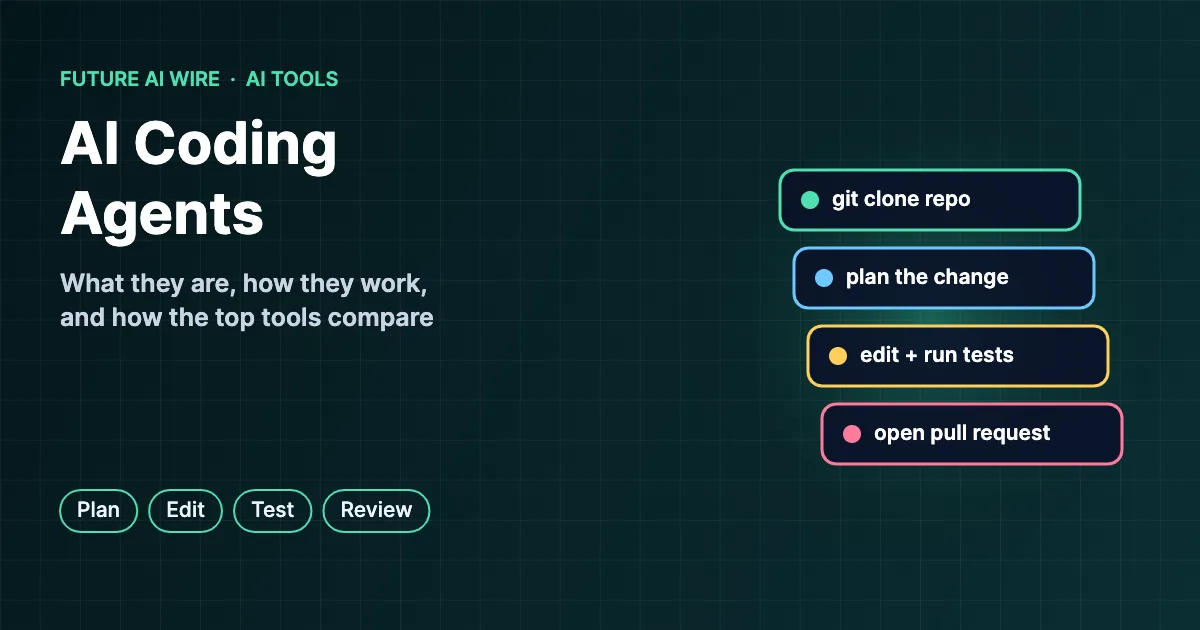
Software development is going through one of its biggest shifts in decades. Instead of only suggesting the next line of code, a new class of tools can read an entire codebase, plan a change, edit multiple files, run the tests, and open a pull request for review. These AI coding agents are changing how developers spend their day, moving more of the work from typing code to describing goals and reviewing results. This guide explains how they work, how the popular options differ, and where they still fall short.
Key Takeaways
- A coding agent is an AI system that completes programming tasks end to end, not just autocompletes code.
- It works in a loop: understand the request, explore the code, plan, edit, run tests, and fix failures.
- Popular options include Claude Code, OpenAI Codex, GitHub Copilot’s agent features, Cursor, Google’s Gemini tools, and Devin.
- Agents are strongest on well-defined tasks with good test coverage and weakest on vague requirements.
- Human code review, sandboxing, and limited permissions remain essential.
Table of Contents
What Are AI Coding Agents?
An AI coding agent is software, powered by a large language model (LLM), that can take a programming task described in plain language and carry it through to working code. Earlier assistants focused on autocomplete, predicting a few lines at a time inside an editor. Agents go further: they can search the repository, run terminal commands, install dependencies, execute tests, and iterate until the task passes. Many can also work in the background on a separate branch and report back when finished.
This is a specific application of the broader agent idea covered in AI agents explained.
How a Coding Agent Works, Step by Step
- Receive the task. A developer writes a request such as “add pagination to the orders page” or assigns a GitHub issue.
- Explore the codebase. The agent searches files, reads relevant modules, and checks project conventions.
- Plan the change. It outlines which files need edits and in what order.
- Edit the code. It writes or modifies code across one or many files.
- Run and test. It executes the test suite, linters, or the app itself inside a terminal or sandbox.
- Fix and repeat. If tests fail, it reads the error output and tries again.
- Hand off. It summarizes the change, often as a pull request, for a human to review.
The same plan, act, and observe cycle drives most agents, as described in agentic workflows explained. Tools connect to external services such as issue trackers and databases increasingly through the Model Context Protocol (MCP).
Popular Coding Agents Compared
The market moves quickly, with frequent model upgrades and pricing changes, so the comparison below focuses on how each tool is typically used rather than on scores that go out of date.
| Tool | Made by | Where it runs | Typical strength |
|---|---|---|---|
| Claude Code | Anthropic | Terminal, IDEs, web, desktop | Large multi-file changes and repository-wide reasoning |
| Codex | OpenAI | Cloud, CLI, IDE extensions | Parallel background tasks that return pull requests |
| GitHub Copilot (agent features) | GitHub / Microsoft | VS Code, other IDEs, GitHub | Tight integration with issues and pull requests |
| Cursor | Anysphere | AI-first code editor | Fast in-editor edits with agent mode |
| Gemini CLI and Jules | Terminal and cloud | Google ecosystem and long context | |
| Devin | Cognition | Cloud workspace | Autonomous handling of ticket-sized tasks |
How to Pick the Best AI Coding Agent for a Team
There is no single best AI coding agent for every situation. The right choice depends on the team’s stack, workflow, and risk tolerance. A few questions help narrow the field:
- Where do developers work? A terminal-heavy team may prefer a CLI agent, while others want everything inside the IDE.
- Synchronous or background? Some agents pair with a developer in real time; others take tickets and return pull requests later.
- Model flexibility: some tools lock to one model provider, while others let teams switch.
- Security and privacy: enterprise plans differ in data retention, code training policies, and on-premise options.
- Cost model: per-seat subscriptions, usage-based billing, and task limits change the economics as usage scales.
What Coding Agents Do Well
- Writing boilerplate, tests, and documentation.
- Fixing well-described bugs with clear reproduction steps.
- Refactoring and migrating code to new libraries or language versions.
- Explaining unfamiliar codebases to new team members.
- Handling small, repetitive tickets that pile up in the backlog.
Where They Still Struggle
- Vague requirements: without a clear goal, agents may build the wrong thing confidently.
- Weak test coverage: an agent can only verify its work against the checks that exist.
- Subtle bugs and security flaws: generated code can introduce vulnerabilities that look correct at a glance.
- Large architectural decisions: trade-offs that involve business context still need experienced engineers.
- Hidden instructions: agents reading issues, web pages, or dependencies can be targeted by prompt injection.
How Performance Is Measured
Coding agents are often compared on public benchmarks. The best known is SWE-bench, which tests whether a system can resolve real GitHub issues from open-source Python projects. Benchmarks are useful signals but imperfect, since real codebases differ from test sets. Many teams run a short internal trial on their own repository before committing to a tool.
Best Practices for Using Coding Agents Safely
- Run agents in sandboxes or containers with limited network and file access.
- Never give agents production credentials or secrets they do not need.
- Require human review on every pull request, just as with a new developer.
- Keep strong automated tests so mistakes surface early.
- Write clear task descriptions, including acceptance criteria and constraints.
Open-Source and Self-Hosted Options
Not every team wants to send code to a commercial cloud service. A growing open-source ecosystem lets developers run agents locally or on their own infrastructure, often with a choice of model provider. Well-known projects include Aider, a terminal-based pair programmer that works directly with Git; Cline and Continue, which plug into VS Code; and OpenHands, a platform for autonomous software agents that grew out of an academic research project.
These tools appeal to organizations with strict data rules, developers who want to experiment with different models, and teams that prefer to inspect how the agent works under the hood. The trade-off is more setup and maintenance, plus the cost of running or renting capable models.
Real-World Use Cases by Team Type
Startups and Small Teams
Small engineering teams use coding agents to ship features faster than headcount would normally allow. A single developer might hand routine tickets to an agent while focusing on product decisions and customer feedback.
Enterprise Engineering Organizations
Large companies often start with narrow, high-volume work: upgrading dependencies across hundreds of repositories, migrating to new frameworks, adding missing tests, and cleaning up deprecated code. These jobs are repetitive, measurable, and easy to review, which makes them a natural fit.
Data and Analytics Teams
Analysts and data scientists use agents to write SQL queries, build data pipelines, clean messy datasets, and turn notebook experiments into reusable scripts. The agent’s ability to run code and check output is especially useful when results can be validated against known numbers.
Quality Assurance
Testing is one of the most popular early uses. Agents can generate unit and integration tests, reproduce reported bugs, and propose fixes. Some newer tools specialize in exploring applications the way a human tester would, clicking through screens and logging defects.
Non-Developers Building Internal Tools
Product managers, designers, and operations staff increasingly use agents to build small internal tools, prototypes, and automations without waiting for engineering time. Teams usually still require an engineer to review anything that touches production systems or customer data.
How Teams Roll Out Coding Agents
- Start with a pilot group. A handful of volunteer developers test the tool on real work for a few weeks.
- Pick measurable tasks. Bug fixes, test generation, and small features make it easy to compare speed and quality.
- Set guardrails early. Define which repositories, environments, and secrets the agent may access.
- Update review practices. Reviewers should know when a change was agent-generated and check it with the same care as any new contributor’s code.
- Share prompts and patterns. Teams that document effective task descriptions and project instructions get more consistent results.
- Measure and expand. Track cycle time, defect rates, and developer satisfaction before rolling out more widely.
Cost Considerations
Pricing usually combines a subscription with some form of usage limit. Individual plans are common for developers, while business and enterprise tiers add administration, security controls, and higher limits. Background agents that run long tasks can consume large amounts of model compute, so usage-based charges may grow quickly if they are not monitored. Teams comparing tools should look at the total cost per completed task, not just the monthly seat price, and should check current pricing pages because plans change often.
How Coding Agents Are Changing Developer Skills
As agents take over more routine typing, the most valuable developer skills are shifting. Clear problem definition, system design, code review, testing strategy, and security awareness matter more than ever. Writing a precise task description has become a skill in its own right, much like writing a good bug report. Junior developers still benefit from learning fundamentals deeply, because reviewing and correcting agent output requires understanding what good code looks like.
Chat Assistants vs Autocomplete vs Agents
Developers now have three broad styles of AI help, and many teams use all of them depending on the job.
| Style | How it helps | Human involvement | Example tasks |
|---|---|---|---|
| Chat assistant | Answers questions and drafts code snippets in a conversation | High: the developer copies and adapts output | Explaining an error, sketching a function |
| Autocomplete | Predicts the next lines inside the editor | High: suggestions are accepted line by line | Boilerplate, repetitive patterns |
| Agent | Plans and executes multi-step changes, runs tests, and iterates | Medium: the developer sets the goal and reviews the result | Bug fixes, features, migrations, test suites |
Security Checklist for Agent-Written Code
Because agents can write a lot of code quickly, security review needs to keep pace. Teams adopting these tools commonly add the following checks:
- Dependency review: confirm that any new package the agent installs is legitimate, maintained, and actually needed, since attackers sometimes publish look-alike packages.
- Static analysis: run automated security scanners on every pull request, regardless of who or what wrote it.
- Secret scanning: make sure no API keys, tokens, or passwords end up in commits or logs.
- Least privilege: give the agent read-only access by default and grant write or deploy permissions only where necessary.
- Audit logs: keep records of commands the agent ran and files it changed, which helps with debugging and compliance.
- Input caution: treat issue descriptions, web pages, and third-party files as untrusted, because they can carry hidden instructions.
Security agencies such as the U.S. Cybersecurity and Infrastructure Security Agency publish guidance on Secure by Design practices that apply equally to human-written and machine-written software.
The Road Ahead
The direction of travel is clear: agents are taking on longer and more complex tasks, working in parallel, and coordinating with other agents that handle testing, review, or deployment. This multi-agent approach is explored in what a multi-agent system is. Expect deeper integration with project management tools, better memory of each codebase’s conventions, and stronger verification so that agents can prove their changes work rather than simply claim it. The developers who thrive will be those who learn to direct, check, and combine these tools effectively.
Key Terms at a Glance
- Autocomplete: inline code suggestions predicted as a developer types.
- Agent mode: a setting where the AI can plan and execute multi-step changes on its own.
- Pull request (PR): a proposed code change submitted for review before merging.
- Sandbox: an isolated environment where code can run without affecting real systems.
- Context window: the amount of code and text a model can consider at one time.
Conclusion
Coding agents have moved from novelty to everyday tooling for many development teams. They speed up routine work and help developers focus on design and review, but they are not a replacement for engineering judgment. Teams that pair these tools with good tests, tight permissions, and careful review are getting the most value from them.
Frequently Asked Questions
Will coding agents replace software developers?
Not in the foreseeable future. They change the job by automating routine coding, while developers spend more time defining problems, reviewing output, and making design decisions.
What is the difference between Copilot autocomplete and a coding agent?
Autocomplete suggests code as a developer types. A coding agent takes a whole task, edits multiple files, runs tests, and iterates on its own.
Are coding agents safe to use on private code?
They can be when configured properly. Teams should review each vendor’s data policy, choose plans that exclude training on their code if required, and restrict access to secrets.
Can beginners use coding agents?
Yes, and many people use them to learn. However, beginners should still read and understand the generated code rather than accepting it blindly.
Do coding agents work with any programming language?
Most support popular languages such as Python, JavaScript, TypeScript, Java, Go, and C#. Performance is usually strongest in widely used languages with lots of public code.
How much do coding agents cost?
Prices range from free open-source tools, which still require paying for model usage, to monthly subscriptions for individuals and higher-priced business plans. Heavy background use can add usage-based charges.
Can a coding agent work on an existing large codebase?
Yes. Modern agents search and read large repositories, although results improve when the project has clear structure, documentation, and good tests.
Which programming tasks should not be given to an agent?
Security-critical code, complex architectural decisions, and changes to production infrastructure deserve close human control. Agents can assist with these, but a senior engineer should lead.
Do coding agents need an internet connection?
Most commercial agents call cloud-hosted models, so they need a connection. Some open-source agents can run with local models on a developer’s own machine, which keeps code fully offline at the cost of speed or capability.
How can a team tell if an agent is actually helping?
Useful signals include shorter cycle time from ticket to merged change, fewer routine tickets left in the backlog, stable or improving defect rates, and positive feedback from developers. Comparing these numbers before and after a pilot gives a fair picture.
Can agents review code written by other people?
Yes. Many tools offer automated pull request reviews that flag likely bugs, style issues, and missing tests. These reviews work best as a first pass that helps human reviewers focus on design and logic.

The Future AI Wire Editorial Team covers artificial intelligence, AI agents, agentic AI, and emerging technologies. We publish clear, research-informed explanations and practical insights to help readers understand AI developments, real-world applications, and the technologies shaping the future.